Cloning an Existing Tournament
Cloning creates a new draft tournament that inherits the structure of an existing one — event types, division templates, pricing periods, and staff roles all carry over. Competitors and bracket data do not. It's the fastest way to set up a recurring annual or quarterly event.
Time saver: A tournament you spent 2 hours configuring last year can be ready to publish in under 5 minutes by cloning. Update the date and deadline, review the pricing, click Publish.
What gets copied
The clone is a structural copy, not a data copy. Think of it as duplicating the tournament's rules and configuration, not its results.
✓ Copied
- Tournament name (prefixed with "Copy of")
- Event types and their configurations
- Division rule template
- Default pricing (base and add-on prices)
- Pricing periods (dates are reset)
- Per-event price overrides
- Staff roles and permission definitions
- Registration settings
- Venue name and location
- Organization name and contact email
✗ Not copied
- Tournament date (reset to blank)
- Registration deadline (reset to blank)
- Competitor registrations
- Approved competitors
- Generated brackets and match results
- Staff member assignments (roles are copied, assignments are not)
- Check-in and weigh-in data
- Certificates and awards
- Published/live status (clone starts as draft)
Credits: Cloning does not use credits. Credits are only consumed when you approve competitors in the new tournament.
How to clone
The clone function lives in the Tournament Manager under Settings → Tournament Info. You need to have the source tournament open in the manager to clone it.
-
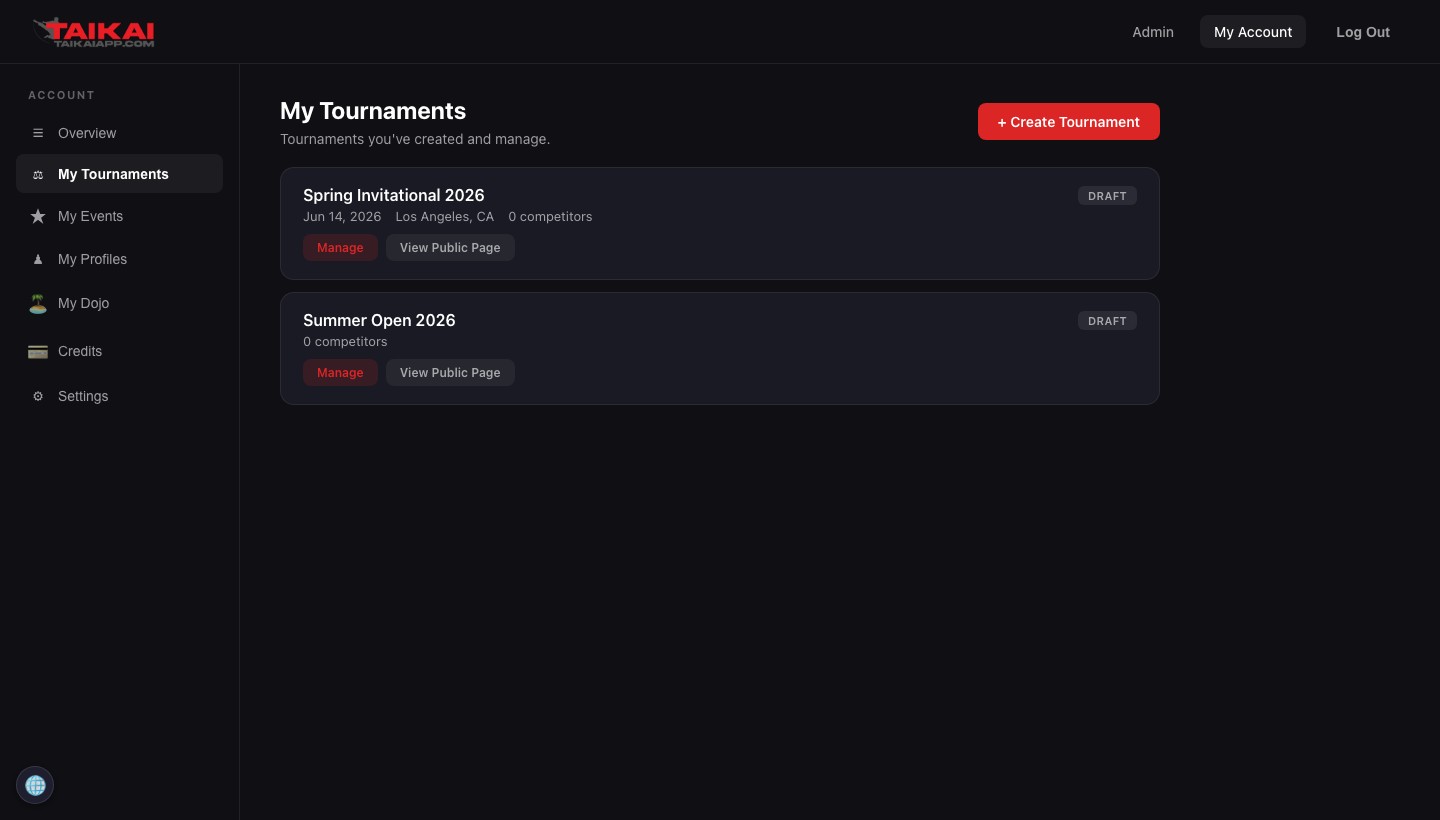
1Open the Tournament Manager Go to My Account → My Tournaments and click Manage on the tournament you want to clone.
-
2Navigate to Settings → Tournament Info In the left sidebar, expand the Settings group and click Tournament Info. Scroll down past the details form to find the Clone Tournament section.
-
3Click "Clone This Tournament" The system creates a new draft tournament immediately. You'll be redirected to the new tournament's manager once the clone completes — typically under 2 seconds.
-
4Update the date and deadline The clone's date and registration deadline are blank — you must set these before publishing. Go to Settings → Tournament Info in the new tournament and fill in the new dates.
-
5Review and adjust Check pricing periods (dates were reset), confirm event types are correct, and update the tournament name if you don't want "Copy of" in the title. When everything looks right, click Publish Tournament from the Tournament Info settings.
Pricing periods: Pricing period dates carry over in structure (Early Bird, Regular, Late) but the actual start and end dates are reset to blank. You must re-enter dates for each period in the cloned tournament's Settings → Pricing page before publishing.
After cloning
The cloned tournament opens in its own Tournament Manager as a draft. It is completely independent of the source — changes to the clone do not affect the original, and vice versa.
The clone appears in your My Tournaments list immediately. You can access it at any time to continue configuring before you publish.
Common use cases
Annual tournament series
Run the same event every year? Clone last year's tournament, update the date and deadline, adjust pricing for inflation if needed, and publish. Your division structure, staff roles, and event configuration are already in place from the previous year.
Regional circuit with multiple stops
If you run a circuit with the same format across multiple cities, clone the master tournament for each stop. Update the venue, date, and location. Each stop gets its own registrations and brackets while sharing the same division and pricing structure.
Testing before going live
Clone a past tournament to create a sandbox for testing new division configurations, pricing periods, or staff roles. Experiment on the clone without affecting your live or planned events. Delete the clone when you're done testing.
Delegating setup to a co-director
Clone the template tournament, then add your co-director as a staff member with the appropriate permissions. They can fill in the tournament-specific details (date, venue, registration deadline) while you handle other logistics.